In a major announcement that has sent waves through the tech world, Apple has revealed its latest design philosophy known as the Liquid Glass design. This bold new approach is set to transform how users interact with iPhones, Macs, and other Apple devices. Introduced during Apple’s annual software event, the Liquid Glass concept will appear in iOS 26, macOS Tahoe, and future updates across Apple’s ecosystem.
At its core, the Liquid Glass design introduces a smooth, fluid, and transparent user interface that feels more organic and intuitive compared to the traditional blocky interfaces of the past. This shift is not just cosmetic – it represents a deep reinvention of user experience that emphasizes adaptability, responsiveness, and visual harmony.
What Makes Liquid Glass So Unique?
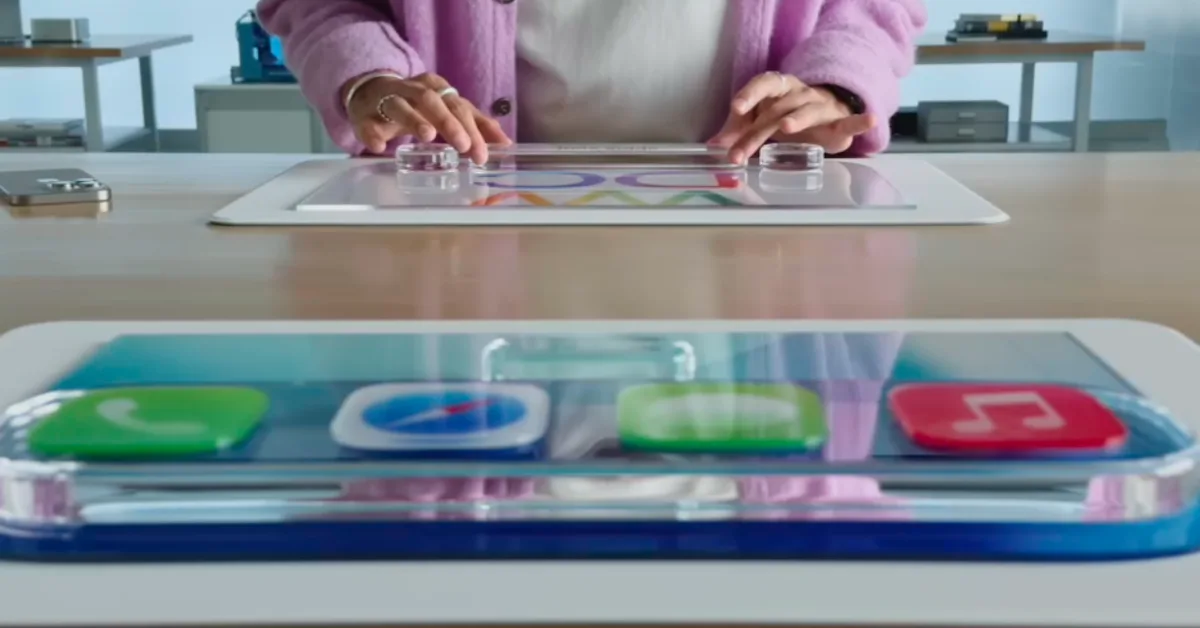
The Liquid Glass design emphasizes seamless transitions, translucency, and real-time interaction that adjusts naturally to user input. Apple engineers describe it as combining both aesthetic beauty and functional efficiency into one harmonious system. Every button, widget, and interface layer appears to float on the screen, responding instantly to touch with fluid animations and subtle depth effects.
Unlike traditional rigid user interfaces, Liquid Glass offers a sense of spatial continuity where UI elements overlap, shift, and move in a way that feels almost alive. This is achieved through advanced graphical rendering powered by Apple’s custom GPUs and highly optimized machine learning models that predict user behavior.
One of the key advantages of Liquid Glass is its ability to adapt dynamically to the environment. For example, the transparency of UI components changes based on background brightness or ambient light, creating a consistent viewing experience without straining the eyes. Furthermore, accessibility features have been improved significantly, allowing visually impaired users to interact more naturally through enhanced contrast modes and intelligent voice guidance.
👉 Read Also: Apple iPhone 17 Pro Max Launch 2025 – Stunning New Features, Release Date, and Must-Know Rumors
How iOS 26 Leverages Liquid Glass
In iOS 26, Liquid Glass is front and center. Users will notice a completely revamped home screen where widgets no longer feel boxed in but instead flow organically alongside app icons. Notifications have been redesigned to incorporate depth and layered motion, making them appear like physical cards that slightly shift as you interact.
The control center benefits from Liquid Glass animations as well. Toggles for Wi-Fi, Bluetooth, and other functions now exhibit fluid transitions, making interactions more tactile and visually satisfying.
Beyond aesthetics, Apple has released a new set of developer APIs that allow app creators to build their own Liquid Glass-inspired widgets and interactive components. This encourages the ecosystem to shift towards a more visually immersive and functionally adaptive design standard.
macOS Tahoe: Redefining the Desktop Experience
macOS Tahoe represents Apple’s effort to modernize the desktop computing experience with the Liquid Glass design. Finder windows now transition smoothly between tasks, offering interactive previews that float above the workspace rather than opening as separate static windows.
A particularly innovative feature is the adaptive desktop background. Instead of remaining static, the wallpaper subtly shifts in response to time of day, user activity, and ambient light, giving a sense of a living desktop that reacts to your presence.
Multitasking also becomes smoother with new window management tools. Liquid Glass effects enable windows to merge and separate with animated fluidity, reducing clutter and making task organization a more intuitive process.
Behind the Scenes: The Technology Powering Liquid Glass
Apple’s engineers have developed Liquid Glass by combining GPU acceleration with machine learning. The system predicts which UI components a user is likely to interact with next and preloads those animations and data, ensuring the interface remains extremely responsive.
Despite the increased graphical complexity, Apple has ensured that battery life and system performance are not compromised. Every visual effect is optimized to run efficiently, avoiding unnecessary battery drain and lag.
Ecosystem Integration and Developer Opportunities
Apple plans to extend the Liquid Glass design beyond just iOS and macOS. Future versions of iPadOS, watchOS, and tvOS will incorporate this design language, creating a consistent experience across devices. App developers are encouraged to adopt the new Liquid Glass APIs, which unlock powerful visual effects without requiring deep knowledge of graphical programming.
This shift represents more than a visual overhaul – it is a strategic move toward unifying the Apple ecosystem under a flexible, modern design philosophy that promotes creativity, accessibility, and performance.
Why Liquid Glass is Essential for the Future
The keyword “Liquid Glass” is quickly becoming highly searched as technology enthusiasts, developers, and everyday users seek information about the latest Apple innovations. This isn’t a passing trend – it’s a reflection of how Apple is rethinking interface design for the next generation.
By focusing on adaptability and user-centric design, Liquid Glass addresses long-standing usability challenges. It enhances the way people interact with technology by making interactions feel intuitive, responsive, and human-centric.
A Transparent and Fluid Future
Apple’s introduction of the Liquid Glass design signals a major shift in how technology is designed and experienced. More than just a visual refresh, it represents a thoughtful combination of form and function, enhancing speed, accessibility, and aesthetics in one coherent system.
With iOS 26 and macOS Tahoe set to launch later this year, the Liquid Glass era marks a bold step into the future. Apple is not just changing how devices look – it’s revolutionizing how they feel and respond. For developers and users alike, this is the beginning of a more fluid, adaptive, and seamless digital world.